
On-Page SEO Analysis
You published a page. You waited. And nothing happened. No traffic, no new signups, no movement in Google. This happens to almost every startup founder at some point, and it is rarely because the product is bad or the writing is weak. Most of the time, nobody went back and actually checked the page.
In this guide
- 1.What Is On-Page Analysis?
- 2.Why This Matters More Than Writing New Content
- 3.Before You Start: Gather Your Data
- 4.Step-by-Step: How to Analyze a Page
- 5.Manual Review vs. Using a Tool
- 6.Common Mistakes Founders Make
- 7.A Real-World Example
- 8.Pros and Cons of Making On-Page Analysis a Habit
- 9.A Simple Monthly Habit
- 10.Final Thoughts
What Is On-Page Analysis?
On-page analysis is the process of reviewing a specific web page to check whether it is set up correctly for search engines and for the people reading it.
Think of it like proofreading, but for SEO. You are not writing new content yet. You are checking what is already there: the title, the headings, the wording, the links, the loading speed, and spotting what is holding the page back.
It is different from a full site audit, which looks at your entire website. On-page analysis focuses on one page at a time, which makes it a lot more manageable, especially if you are a solo founder without a marketing team.
Why This Matters More Than Writing New Content
Most founders default to writing more content when traffic is low. That instinct makes sense, but it is often the wrong move.
Here is why: a page that already exists, even one getting a small trickle of visits, has something a brand-new page does not have: real data. Google already knows the page exists. It is already showing up for some searches, even if only on page 3 or 4. Fixing that page is usually faster and cheaper than starting from zero.
Founders who skip this step often end up with a blog full of pages that were each written once and never touched again. A handful of well-analyzed, well-fixed pages will usually outperform a large pile of untouched ones.
Before You Start: Gather Your Data
You cannot analyze a page properly by just reading it. You need to see how it is actually performing first. Two free tools cover almost everything:
Google Search Console shows which keywords the page is already getting impressions for, and its average position.
Google Analytics, or a privacy-friendly alternative, shows how visitors behave once they land on the page.
Check these before making any changes. Otherwise you are guessing instead of analyzing.
Step-by-Step: How to Analyze a Page
1. Check What the Page Is Already Ranking For
Open Search Console, find the page, and look at the "Queries" tab. This tells you what Google thinks the page is about, based on real search data. Sometimes this is surprising.
For example, a founder might write a page targeting "startup directory list," but Search Console shows it is actually pulling impressions for "free ways to promote a startup." That is useful. It tells you the page might need a heading or section added to serve that second intent better, instead of fighting to rank for the original phrase.
2. Read the Page Like a Visitor, Not a Writer
Close your eyes for a second, then open the page fresh. Read only the H1 and subheadings, ignoring the body text. Ask yourself:
- Do I understand what this page offers within five seconds?
- Would I know what to do next?
If the answer is no, that is usually your biggest problem, and it has nothing to do with keywords.
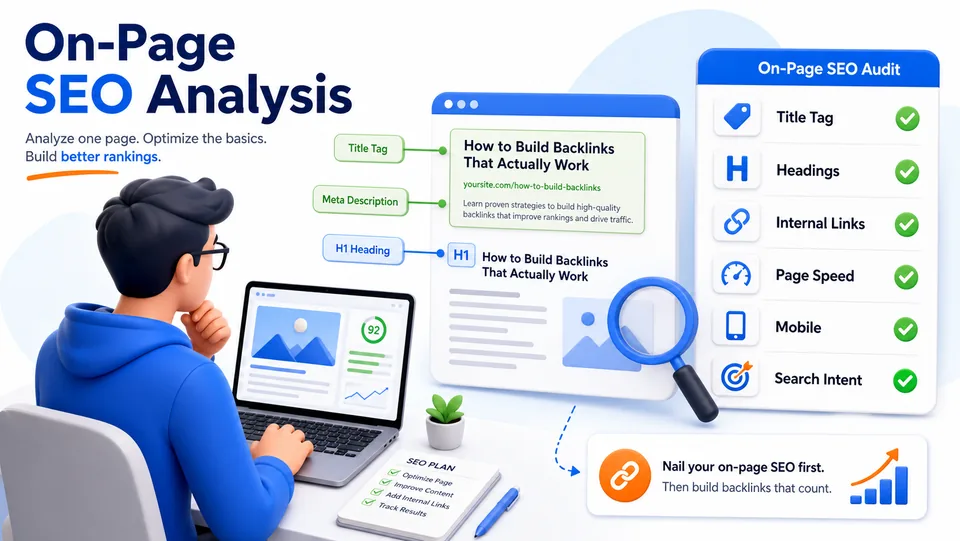
3. Check the Title Tag and Meta Description
These two elements decide whether someone clicks your result in Google at all. A page can rank in position 4 and still get almost no traffic if the title is vague or the description does not say anything useful.
A strong title tag usually does three things:
- States clearly what the page is about
- Includes the main keyword naturally, near the beginning
- Stays under roughly 60 characters so it does not get cut off
4. Review Headings for Structure and Coverage
Your page should have one H1, and a logical set of H2s below it. Each H2 should represent a real sub-topic, not just a stylistic break in the text.
A quick trick: list your H2s in a separate document, with no other text. If that list alone does not tell a clear, complete story about the topic, you are probably missing a section that readers and Google expect to see.
5. Check Internal Links Going Both Ways
Most founders check whether a page links out to other pages. Fewer check whether anything links to that page.
A page with no internal links pointing to it is like a shop with no sign on the street. It might be listed somewhere, but nobody is being pointed toward it. If you have a related blog post, a homepage section, or a resources page, make sure it links to the page you are analyzing, using a few descriptive words rather than "click here."
6. Test Page Speed on That Specific URL
Page speed tools often get run once, on the homepage, and never again. But speed varies page to page, especially with different images or embeds. Run the exact URL you are analyzing through a free speed-testing tool and note anything flagged as slow-loading.
7. Look for Duplicate or Competing Pages
Search your own site for the main keyword. If two of your own pages are competing for the same search term, that is a problem called cannibalization, and it usually means neither page ranks as well as it could.
Manual Review vs. Using a Tool
Both approaches work, and most founders end up using a mix of the two.
Manual review is best for understanding search intent, checking tone, and checking clarity. The limitation is that it is time-consuming and easy to miss technical issues.
SEO tools like Ahrefs or Screaming Frog are best for spotting technical problems fast and scanning many pages at once. The limitation is that they do not judge whether the writing actually makes sense.
A tool can tell you a page is missing alt text. It cannot tell you whether the page actually answers the question someone typed into Google. That judgment still needs a person.
Common Mistakes Founders Make
- Optimizing before checking data. Changing a title without ever looking at what it is currently ranking for is guesswork, not analysis.
- Chasing keyword density. Repeating a phrase five times does not help anymore, and it often makes writing harder to read.
- Ignoring pages that already get some traffic. These are usually the easiest wins, not the ones to skip.
- Fixing everything at once. Change a few things, wait a few weeks, and check again. Otherwise you will not know what actually worked.
- Forgetting mobile. A page can look fine on a laptop and still have broken spacing or slow loading on a phone, where most traffic often comes from.
A Real-World Example
Imagine a SaaS founder has a page called "Best Tools for Indie Hackers." It gets almost no traffic after three months.
A quick on-page analysis shows:
- Search Console reveals it is getting a small number of impressions for "free tools for solo founders," a phrase that never appears anywhere on the page
- The H1 is a vague tagline instead of a clear statement of what the page covers
- No other page on the site links to it
The fix does not require a rewrite. The founder adjusts the H1 to include the phrase naturally, adds a short section addressing "free" options specifically, and adds two internal links from related blog posts. Over the following weeks, the page climbs from page 4 to page 2 for that phrase. That change came from analysis, not new writing.
Pros and Cons of Making On-Page Analysis a Habit
Pros
- Improves existing pages without needing new content
- Usually faster than writing something new from scratch
- Builds a clearer picture of what your audience actually searches for
Cons
- Requires patience because results from small edits take a few weeks to show up
- Can feel less exciting than publishing something new
- Needs at least basic comfort with tools like Search Console
A Simple Monthly Habit
You do not need to analyze every page every month. A realistic routine:
- Pick your 3 to 5 highest-traffic pages
- Run through the steps above for each one
- Make one or two changes per page, not ten
- Check back in four to six weeks
This keeps the process manageable, especially if you are running a startup solo or with a small team.
Final Thoughts
On-page analysis is not glamorous work, but it is some of the highest-leverage time a founder can spend. Instead of guessing at new content ideas, you are using real data to fix what is already live, page by page, one clear improvement at a time.
Start with the pages you already have. Check what is actually going on before deciding what to change. Small, informed edits tend to beat big rewrites.
And once your on-page foundation is solid, getting your startup listed in the right directories is one of the simplest next steps to build visibility and early backlinks. If you have not submitted your startup yet, SubmitWell can help you get listed across relevant startup directories without doing it one by one manually.
Fix the page first, then build authority
Once your on-page SEO is clear, SubmitWell can help you build early backlinks and directory visibility without doing every submission manually.
See Plans - Starting at $35Frequently Asked Questions
What is on-page analysis in SEO?
On-page analysis is the process of reviewing a single web page to check how well it is set up to rank in search engines and serve the people reading it, covering titles, headings, content, links, and page speed.
How is on-page analysis different from a full SEO audit?
A full SEO audit usually looks at your entire website, including technical setup like sitemaps and site speed across the whole domain. On-page analysis is more focused, looking closely at one page at a time.
How often should I analyze my pages?
Checking your top few pages every one to two months is usually enough. Pages that are new or recently changed can be checked sooner, once you have a few weeks of data.
Do I need paid tools to do this?
No. Google Search Console and Google Analytics are both free and cover most of what you need. Paid tools like Ahrefs or Screaming Frog make it faster if you are managing many pages.
What is the most common issue found during on-page analysis?
Vague titles and headings are extremely common. A page can have solid content but still underperform because the title or H1 does not clearly say what it is about.
Useful tools for this guide
Related Resources
Fix the page first, then build authority
Once your on-page SEO is clear, SubmitWell can help you build early backlinks and directory visibility without doing every submission manually.
See Plans & PricingOne-time payment. No subscription.