
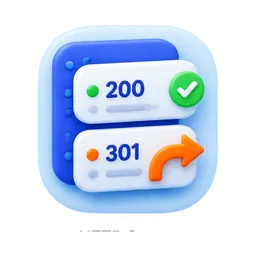
Why HTTP status codes matter
Search engines and directory platforms need a page that loads correctly. A 404, 500, or confusing redirect chain can waste backlinks and hurt user trust.
Check the live HTTP response for a page so backlinks, directory listings, and search crawlers point to a working URL.
HTTP report
Your HTTP status report will appear here.
Enter a public URL to check whether it loads, redirects, or returns an error.
Search engines and directory platforms need a page that loads correctly. A 404, 500, or confusing redirect chain can waste backlinks and hurt user trust.
The checker fetches one public URL, follows redirects, reports the final URL, status code, content type, and whether the page looks ready for crawlers and visitors.
Before you submit a startup to directories, make sure the target URL returns a clean 200 response or an intentional permanent redirect.
Use this workflow to get more useful output from the tool and make the page stronger before you share, launch, or submit your startup to directories.
Enter one public URL you plan to share, submit, or build backlinks to.
Review the status code, final URL, content type, and redirect result.
Fix broken pages, server errors, or accidental redirect destinations.
Check again before adding the URL to directory submissions or launch profiles.
A free tool can fix one part of your startup visibility stack. The bigger goal is to make your site easier to understand, easier to share, and easier to discover through search and trusted directory profiles.
These free SEO tools help you clean up on-page signals. SubmitWell handles the off-page discovery work by manually listing your startup on relevant directories.
A normal live page should usually return 200. Permanent moved pages should use 301 redirects to the correct final URL.
Yes. If directories or other sites link to a broken page, users and crawlers may not reach the intended content.
Yes. It is a quick technical SEO check before you build links to a page.
Enter any URL to fetch the live page, read the canonical tag, compare it with the final URL, and catch canonical URL issues before building backlinks.
Check whether a public page has noindex, nofollow, robots meta tags, X-Robots-Tag headers, or indexing signals that can block SEO visibility.
Fetch or paste your robots.txt to validate syntax, check crawler rules, and catch mistakes that could block Google from indexing your startup website.