
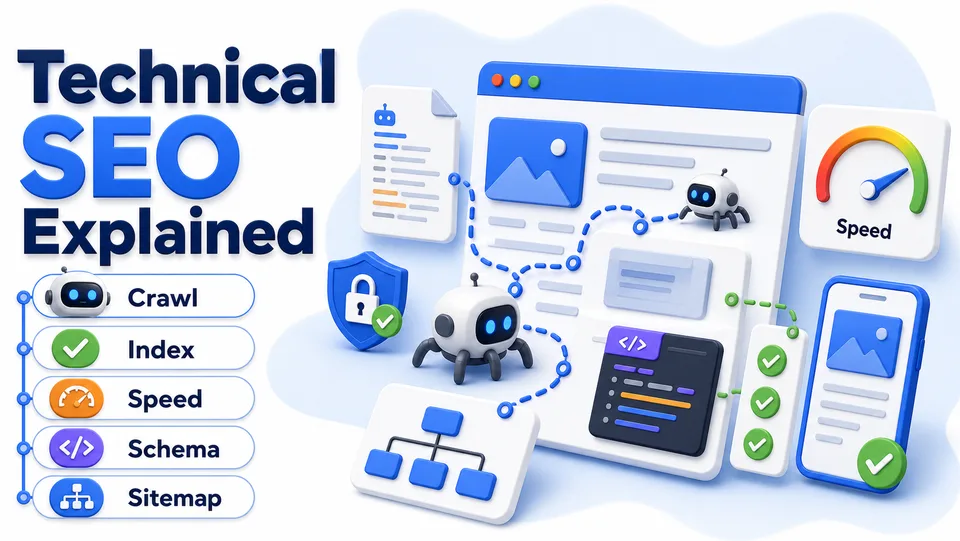
Technical SEO Explained
You can write the best content in your niche and still lose to a competitor with a mediocre blog. It happens more often than founders expect, and the reason is usually invisible: technical SEO. Technical SEO covers everything that affects how well search engines can crawl, understand, and index your website.
In this guide
- 1.What Is Technical SEO?
- 2.Why Technical SEO Matters More for Startups Than You Think
- 3.Technical SEO vs On-Page SEO vs Off-Page SEO
- 4.The Core Technical SEO Issues Every Startup Should Check
- 5.Common Technical SEO Mistakes Startups Make
- 6.Pros and Cons of Prioritizing Technical SEO Early
- 7.A Practical Technical SEO Checklist
- 8.Conclusion
What Is Technical SEO?
Technical SEO is the practice of optimizing the infrastructure of your website so search engines can crawl it efficiently, index your pages correctly, and understand what each page is about.
It is different from on-page SEO, which focuses on content, keywords, and headings, and off-page SEO, which focuses on backlinks and external signals. Technical SEO is the foundation underneath both. If a search engine cannot crawl or properly render your page, great content and strong backlinks will not help much.
Think of it like plumbing. Nobody notices good plumbing. Everybody notices bad plumbing.
Why Technical SEO Matters More for Startups Than You Think
Larger, established companies often have some technical SEO slack built in through years of backlinks, brand recognition, and domain authority. That can paper over smaller technical issues.
Startups do not have that cushion. Technical SEO deserves early attention for a few reasons:
Small sites get crawled less frequently. If your site has crawl or indexing issues, it can take search engines much longer to notice and recover.
Speed and mobile experience affect rankings. Google has used page experience signals, including load speed and mobile usability, as part of its ranking systems for years.
Broken technical foundations waste your content investment. If you are already investing time into blog posts, guides, or comparison pages, technical issues can prevent that content from being fully indexed or ranked.
Fixing technical SEO issues is often faster than producing new content. Many fixes are one-time changes that continue paying off.
Technical SEO vs On-Page SEO vs Off-Page SEO
These three pillars work together, but they solve different problems.
Technical SEO
- Focus: site infrastructure and crawlability
- Examples: site speed, redirects, sitemaps, schema
- Usually owned by: developer or technical founder
- Impact if broken: pages may not get indexed at all
- Frequency: mostly one-time fixes with periodic audits
On-page SEO
- Focus: content, keywords, and page structure
- Examples: headings, keyword usage, meta tags
- Usually owned by: content writer or marketer
- Impact if broken: pages get indexed but rank poorly
- Frequency: ongoing, per piece of content
Off-page SEO
- Focus: backlinks and external signals
- Examples: guest posts, directory listings, PR
- Usually owned by: marketer or link-building specialist
- Impact if broken: pages may rank, but lack authority
- Frequency: ongoing outreach
Technical SEO is the layer everything else depends on. A perfectly optimized blog post sitting on a page with a slow server response or broken canonical tag will still underperform.
The Core Technical SEO Issues Every Startup Should Check
1. Site speed and Core Web Vitals
Core Web Vitals are metrics Google uses to measure real-world page experience, including how quickly content loads and how stable the layout is while loading. Common causes of slow speed on startup sites include unoptimized images, unnecessary third-party scripts, and bloated page builders or themes.
2. Mobile-friendliness
Most search engines primarily use the mobile version of your site for indexing and ranking. If your mobile experience is cramped, slow, or has overlapping elements, it can hold back your entire site's performance.
3. Crawlability and indexing
Search engines find your pages by crawling links and reading your sitemap. Common issues include pages blocked in robots.txt, missing XML sitemaps, orphan pages with no internal links, and pages accidentally marked noindex.
4. Redirect chains and broken links
When a page moves, a redirect should point directly to its new location. Redirect chains slow down crawling and can dilute ranking signals. Broken internal links create a similar problem by wasting crawl budget and hurting user experience.
5. Duplicate content and canonical tags
Duplicate or near-duplicate pages confuse search engines about which version to rank. Canonical tags tell search engines which version of a page is the master copy, consolidating ranking signals instead of splitting them.
6. Structured data
Schema markup is code added to your pages that tells search engines what type of content they are looking at, such as a product, article, FAQ, or review. It does not guarantee better rankings, but it can improve how your pages appear in search results.
7. HTTPS and site security
Search engines treat HTTPS as a baseline ranking signal. If your site still serves pages over HTTP or has mixed content warnings, fix that immediately.
8. URL structure
Clean, readable URLs help both users and search engines understand page content. A URL like /blog/technical-seo-guide is easier to read, share, and rank than a URL with random IDs.
9. Internal linking structure
Search engines use internal links to understand which pages on your site matter most. Whenever you publish a new article, add two or three links to older related posts and add at least one link from an existing page back to the new one.
10. Crawl budget for larger sites
For small startup sites, crawl budget is rarely a major concern. But if your site scales into thousands of pages, wasted crawl budget on low-value pages can slow down indexing of your important content.
Common Technical SEO Mistakes Startups Make
- Launching without reviewing sitemap or robots.txt files. Many site builders generate these automatically, but founders rarely check whether they are configured correctly.
- Ignoring mobile testing. Testing only on desktop misses the experience most visitors actually have.
- Adding too many scripts. Every analytics script, chat widget, and tracking pixel adds load time.
- Forgetting redirects during a rebrand or URL change. Changing a domain or slug format without 301 redirects can wipe out existing rankings.
- Treating technical SEO as a one-time task. Sites change constantly, so a quarterly audit catches issues before they compound.
- Copy-pasting schema markup without validating it. Incorrect schema can do more harm than having none at all.
Pros and Cons of Prioritizing Technical SEO Early
Pros
- Many fixes are one-time investments with long-term payoff
- Improves the return on content and backlink efforts already underway
- Often faster to execute than producing new content
- Reduces risk of sudden ranking drops from unnoticed issues
Cons
- Some fixes require developer time or technical comfort
- Impact is not always immediately visible in traffic dashboards
- It is easy to over-invest in minor technical tweaks with limited real impact
- Requires ongoing monitoring, not a single set-and-forget pass
The right approach for most early-stage teams is a focused audit covering the basics, followed by a lightweight quarterly check-in.
A Practical Technical SEO Checklist
If you are tackling this yourself, work through these in order:
- Run your site through a page speed testing tool and fix the top 2 or 3 issues it flags.
- Test your site on an actual mobile device, not just a browser mobile preview.
- Check Google Search Console coverage reports for indexing errors.
- Confirm your XML sitemap is up to date and submitted to Search Console.
- Scan for broken links and redirect chains using a crawling tool.
- Verify HTTPS is enforced sitewide with no mixed content warnings.
- Validate any schema markup using a structured data testing tool.
- Clean up your URL structure for newly created pages going forward.
Most of these checks take under an hour each, but the cumulative effect on crawlability and rankings can be significant, especially for a site that has never had a technical audit before.
Conclusion
Technical SEO does not get the same attention as content strategy or link building, mostly because it is invisible when it is working correctly. But it is the foundation that determines whether your content and backlink efforts actually pay off.
For startup founders juggling limited time, the good news is that most technical SEO issues are fixable in a single focused sitting, and many fixes are permanent. You do not need to become a full-time technical SEO specialist. You just need a periodic audit habit.
Once your technical foundation is solid, the rest of your SEO and marketing efforts, including content production and directory submissions like the ones SubmitWell handles, have a much better chance of being seen and indexed.
Fix the technical foundation, then build authority
Once your pages can be crawled and indexed properly, SubmitWell helps you build directory backlinks and trust signals that support long-term SEO growth.
See Plans - Starting at $35Frequently Asked Questions
What is technical SEO?
Technical SEO is the practice of optimizing a website infrastructure, including speed, crawlability, indexing, and structured data, so search engines can properly access and understand its content.
How is technical SEO different from on-page SEO?
On-page SEO focuses on content elements like keywords, headings, and meta tags. Technical SEO focuses on the underlying infrastructure like site speed, redirects, and crawlability.
Do I need a developer to fix technical SEO issues?
Some fixes, like image compression or updating a sitemap, can often be handled without deep technical skills. More complex issues like redirect chains or Core Web Vitals problems may require developer involvement.
How often should I run a technical SEO audit?
A quarterly audit is a reasonable starting point for most small sites. Sites that publish frequently or change structure often may benefit from monthly checks.
What tools can I use to check technical SEO issues?
Google Search Console is a free starting point for indexing and coverage issues. Paid platforms like Ahrefs can provide more detailed crawling, broken link detection, and site audit reports.
Can slow site speed hurt my rankings?
Yes. Page experience signals, including load speed, are part of how search engines evaluate ranking, and slow speed also increases the chance visitors leave before your content loads.
Useful tools for this guide
Related Resources
Fix the technical foundation, then build authority
Once your pages can be crawled and indexed properly, SubmitWell helps you build directory backlinks and trust signals that support long-term SEO growth.
See Plans & PricingOne-time payment. No subscription.