
Free SEO Audit Checklist for Startups
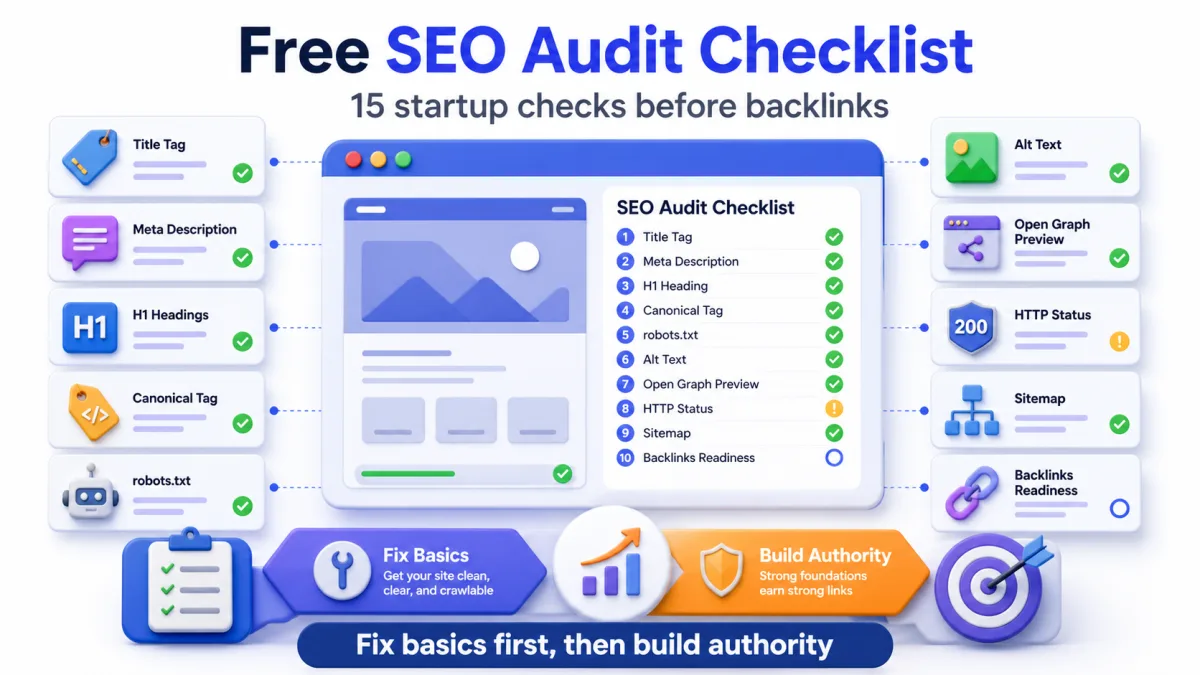
Before you spend time building backlinks, submitting to directories, or publishing more content, your startup website needs a clean SEO foundation. This checklist helps founders audit the basics without paying for a large SEO platform or getting lost in a 100-point enterprise checklist.
In this guide
- 1.Quick Answer
- 2.Why Audit Before Building Backlinks?
- 3.The 15-Point Startup SEO Audit Checklist
- 4.1. Check Your Page Title
- 5.2. Check Your Meta Description
- 6.3. Check Your H1 and Heading Structure
- 7.4. Check Canonical Tags
- 8.5. Check Noindex and Nofollow
- 9.6. Check robots.txt
- 10.7. Check Your Sitemap
- 11.8. Check HTTP Status and Redirects
- 12.9. Check Image Alt Text
- 13.10. Check Favicon and Brand Appearance
- 14.11. Check Open Graph and Social Previews
- 15.12. Check Structured Data
- 16.13. Check Internal Links
- 17.14. Check AI Visibility Basics
- 18.15. Check Backlink Readiness
- 19.Free Tools to Run This Audit
- 20.What to Fix First
- 21.When to Start Directory Submission
- 22.Final Checklist
Quick Answer
A startup SEO audit is a focused check of the pages, metadata, crawl settings, images, links, and trust signals that help search engines understand your website.
For a new startup, the goal is not to audit every tiny detail. The goal is to catch the problems that block discovery before you build backlinks or spend time on content.
Use this audit before:
- Submitting your startup to directories
- Running a Product Hunt launch
- Publishing SEO content
- Reaching out for backlinks
- Asking AI search engines to understand your brand
- Spending money on ads or PR
Why Audit Before Building Backlinks?
Backlinks help more when the page receiving those links is clear, crawlable, and trustworthy.
If your homepage has a weak title tag, missing meta description, broken canonical tag, blocked robots.txt file, missing H1, poor Open Graph preview, or no clear product description, external links are still useful, but they are not working as hard as they should.
Think of SEO in two layers:
On-site clarity: Can search engines and users understand what your site is about?
Off-site authority: Are other trusted websites mentioning and linking to you?
Most founders jump straight to the second layer. This checklist makes sure the first layer is ready.
The 15-Point Startup SEO Audit Checklist
This is the practical version. You can run most of these checks with free tools and common sense.
The order matters:
- Fix blockers first
- Then improve page clarity
- Then improve trust signals
- Then build backlinks and directory listings
1. Check Your Page Title
Your title tag is one of the clearest signals search engines use to understand a page.
For a startup homepage, the title should usually include:
- Brand name
- Product category
- Core benefit or use case
Weak title:
"Home"
Better title:
"SubmitWell - Manual Startup Directory Submission Service"
A strong title helps search engines understand your category and helps users decide whether your result is relevant. Keep it readable and avoid stuffing keywords.
Use the Meta Title Length Checker to check title length and preview how it may look in search results.
2. Check Your Meta Description
A meta description is not a direct ranking shortcut, but it can improve search result clarity and click-through rate.
Your meta description should explain:
- What the product does
- Who it is for
- Why someone should click
For a startup, avoid vague copy like "We help teams grow faster." Be specific enough that a stranger can understand your offer in one scan.
Use the Meta Description Length Checker to check length and preview your snippet before publishing.
3. Check Your H1 and Heading Structure
Every important page should have one clear H1 that describes the page topic.
Your H1 should not be a slogan that only makes sense after reading the entire page. It should quickly tell users and search engines what the page is about.
After the H1, use H2s and H3s to organize the page:
- What the product does
- Who it helps
- Benefits
- How it works
- Pricing
- FAQ
Good heading structure makes the page easier for Google, AI systems, and users to parse.
Use the Heading Structure Checker to see your H1, H2, and H3 outline from one URL.
4. Check Canonical Tags
A canonical tag tells search engines which version of a page is the main version.
This matters when the same content can appear through multiple URLs, for example:
- With or without trailing slash
- With tracking parameters
- With duplicate landing page paths
- With www and non-www versions
If canonical tags are wrong, search engines may index the wrong URL or split signals across multiple versions.
Use the Canonical Tag Checker to confirm the canonical URL, final URL, and page title match what you expect.
5. Check Noindex and Nofollow
A noindex tag tells search engines not to index a page. That is useful for private or low-value pages, but dangerous if it appears on your homepage, pricing page, or guide pages by mistake.
Check that your important pages are not blocked by:
- noindex meta tags
- X-Robots-Tag headers
- nofollow rules on important internal links
- accidental staging settings
This is one of the first things to check because a noindex mistake can make every other SEO effort pointless.
Use the Noindex and Nofollow Checker before building backlinks to make sure important public pages can be indexed.
6. Check robots.txt
Your robots.txt file tells crawlers which parts of your website they can access.
A small mistake can block Googlebot from important pages. For example, a broad disallow rule can accidentally keep search engines away from your whole site.
At minimum, check:
- Important pages are not blocked
- Sitemap URL is included
- Admin or private routes are handled carefully
- Rules are simple enough to understand
Google's own SEO starter guide is a good reference for basic crawl and index principles.
Use the Robots.txt Validator to fetch or paste robots.txt and catch crawler blocking mistakes.
7. Check Your Sitemap
A sitemap helps search engines discover your important URLs.
For a startup site, your sitemap should include:
- Homepage
- Pricing page
- Key landing pages
- Guides or blog posts
- Tool pages
- Important category pages
It should not include broken URLs, duplicate URLs, private pages, or old pages that no longer exist. If you publish new blog posts or free tools, they should be added automatically.
8. Check HTTP Status and Redirects
Important pages should return a clean 200 status code.
Watch for:
- 404 pages
- Redirect chains
- Temporary redirects that should be permanent
- HTTP and HTTPS duplicates
- www and non-www conflicts
Search engines can follow redirects, but unnecessary chains slow crawling and create confusion. A clean status setup also makes directory submissions easier because reviewers can open your site without issues.
Use the HTTP Status Code Checker to confirm the final URL, redirect behavior, and response code.
9. Check Image Alt Text
Alt text helps search engines and assistive technologies understand images.
For startup websites, alt text is especially useful for:
- Product screenshots
- Infographics
- Dashboard images
- Feature visuals
- Blog illustrations
Good alt text describes the image in context. It should not be keyword spam.
Google's image SEO guidance recommends descriptive filenames, useful surrounding text, and meaningful alt text.
Use the Alt Text Checker to find missing or weak alt text on product screenshots, blog images, and landing page visuals.
10. Check Favicon and Brand Appearance
A favicon will not rank your site by itself, but it affects trust and recognition.
When users see your site in browser tabs, bookmarks, search results, directories, and shared links, your icon should look sharp and recognizable.
Check common sizes:
- 16px
- 32px
- 64px
- 128px
- 256px
If your favicon looks blurry or has too much padding, fix it before promoting your site widely.
Use the Favicon Checker to preview your icon at common browser sizes before directory or launch promotion.
11. Check Open Graph and Social Previews
When someone shares your startup on X, LinkedIn, Slack, Reddit, or messaging apps, your Open Graph tags control the preview.
A weak preview can reduce clicks even if the page itself is good.
Check:
- og:title
- og:description
- og:image
- twitter:card
- twitter:title
- twitter:description
- twitter:image
This matters for directory submissions too because many directories pull your title, description, and preview image automatically.
Use the OG Image Checker to see what social preview image your page exposes, or the Open Graph Tag Generator to create cleaner OG and Twitter Card tags.
12. Check Structured Data
Structured data helps search engines understand page type and key facts.
For startup websites, useful schema can include:
- Organization
- WebSite
- SoftwareApplication
- Product
- FAQPage
- BreadcrumbList
- BlogPosting
Structured data does not guarantee rich results, but it can make your pages clearer for search engines and AI systems.
13. Check Internal Links
Internal links help users and crawlers move through your site.
For a startup site, connect:
- Homepage to pricing
- Homepage to key guides
- Guides to relevant tools
- Tool pages to related guides
- Blog posts to conversion pages
- Product pages to proof and FAQ sections
Internal links also help distribute authority when you start earning backlinks from directories, guest posts, and mentions.
14. Check AI Visibility Basics
AI search visibility depends on clear, consistent facts across your website and external sources.
Check whether your site clearly explains:
- What your product is
- Who it is for
- What category it belongs to
- What problem it solves
- Your pricing or plan model
- Your trust signals
- Your public contact or company details
Also make sure your important pages are crawlable, your sitemap is updated, and your content uses direct answers that AI systems can summarize.
15. Check Backlink Readiness
Once the basics are clean, your site is ready for external visibility.
Before building backlinks, make sure:
- Your homepage has clear positioning
- Your title and meta description are strong
- Your brand preview looks good
- Your website loads properly
- Your directory description is ready
- Your logo and screenshots are polished
- Your important pages are indexable
Then you can start building backlinks through startup directories, SaaS directories, partner pages, launch platforms, guest posts, founder communities, and customer mentions.
Free Tools to Run This Audit
You do not need a paid SEO suite to run the first version of this audit.
Use free tools for:
- Meta Tag Checker for title, description, Open Graph, canonical, and icon checks
- Meta Title Length Checker for title length and SERP preview
- Meta Description Length Checker for snippet length and clarity
- Heading Structure Checker for H1, H2, and H3 outline checks
- Canonical Tag Checker for canonical and final URL checks
- Noindex and Nofollow Checker for indexability blockers
- Robots.txt Validator for crawler rule checks
- HTTP Status Code Checker for status codes and redirects
- Alt Text Checker for image SEO checks
- Favicon Checker for brand icon checks
- OG Image Checker for social preview images
- Directory Description Generator for cleaner directory listing copy
Paid SEO tools become useful later for crawling bigger sites, competitor research, backlink analysis, and keyword tracking. But a founder can fix a lot with free checks first.
What to Fix First
If you find many issues, do not try to fix everything randomly.
Use this priority order:
Blockers: noindex, blocked robots.txt, broken pages, bad redirects, missing sitemap.
Clarity issues: weak title, vague meta description, poor H1, messy headings, thin homepage copy.
Trust issues: missing favicon, broken Open Graph preview, no company details, weak screenshots, unclear pricing.
Growth issues: no backlinks, no directory listings, no referral mentions, no external proof.
This order keeps the audit practical. Fix what blocks discovery first, then improve what helps users and search engines understand you.
When to Start Directory Submission
Start directory submission after your basic audit is clean.
That means your startup has:
- A working homepage
- Clear title and description
- Strong H1
- Good logo and favicon
- Useful Open Graph preview
- Clean indexability
- A short and long directory description
Directory submission works better when the page reviewers and visitors land on is polished. Good listings can then support referral traffic, backlinks, brand mentions, and Domain Rating growth.
Final Checklist
Before you build backlinks, confirm these are true:
- Your homepage is indexable
- Your sitemap is live
- Your robots.txt is not blocking important pages
- Your title and meta description explain the product
- Your H1 is clear
- Your canonical tag points to the right URL
- Your important images have alt text
- Your favicon is sharp
- Your Open Graph preview looks good
- Your internal links connect tools, guides, and pricing
- Your startup is ready for directory submission
If those are in place, your backlink and directory submission work has a much stronger foundation.
Clean up your SEO foundation, then build authority
SubmitWell helps founders move from a clean website foundation to real external visibility with manual directory submissions, backlink proof, and clear delivery reports.
See Plans - Starting at $35Frequently Asked Questions
What is an SEO audit for a startup?
A startup SEO audit is a focused review of the pages, metadata, crawl settings, headings, images, links, and trust signals that help search engines understand and index a new website.
Can I run an SEO audit without paid tools?
Yes. A founder can check titles, descriptions, headings, canonical tags, robots.txt, noindex tags, status codes, alt text, and Open Graph previews with free tools before using paid SEO platforms.
What should I fix before building backlinks?
Fix indexability, robots.txt, broken pages, redirects, title tags, meta descriptions, H1s, canonical tags, and social previews before investing time in backlinks or directory submissions.
How often should a startup run an SEO audit?
Run a basic audit before launch, after major design changes, after adding new landing pages, and at least once per quarter if you publish content or change your site often.
Does an SEO audit improve rankings?
An audit itself does not improve rankings. The improvements come from fixing the issues the audit finds, especially crawl blockers, weak metadata, poor content structure, and broken pages.
Should I do an SEO audit before directory submission?
Yes. Directory submission is more effective when your homepage is crawlable, clear, trustworthy, and ready for visitors who click from directory profiles.
Useful tools for this guide
Meta Tag Checker
Audit title tags, descriptions, Open Graph, canonical tags, and icons from one URL.
Heading Structure Checker
Check whether your H1, H2, and H3 structure is clear for users and search engines.
Alt Text Checker
Find images with weak or missing alt text before publishing or promoting a page.
Canonical Tag Checker
Confirm that important pages point to the correct canonical URL.
Noindex and Nofollow Checker
Catch indexability blockers before building backlinks.
Robots.txt Validator
Check whether robots.txt is blocking important startup pages.
Related Resources
Clean up your SEO foundation, then build authority
SubmitWell helps founders move from a clean website foundation to real external visibility with manual directory submissions, backlink proof, and clear delivery reports.
See Plans & PricingOne-time payment. No subscription.